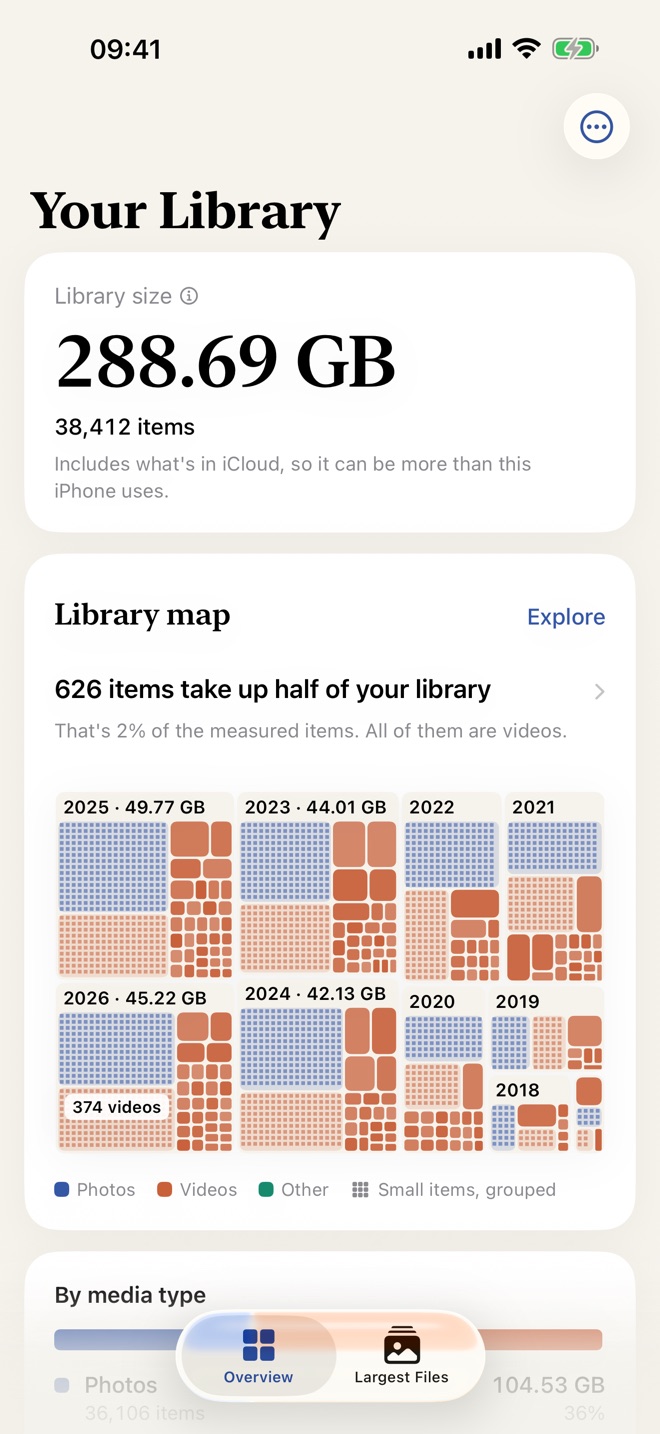
1. See the whole picture
Your library size, and how few items take up half of it. Often it's a handful of long videos.
 Funes
Free iPhone app · Photo storage
Funes turns your whole photo library into one map, where every photo and video is sized by the file size Photos reports. See which videos and photos are filling your library, biggest first.
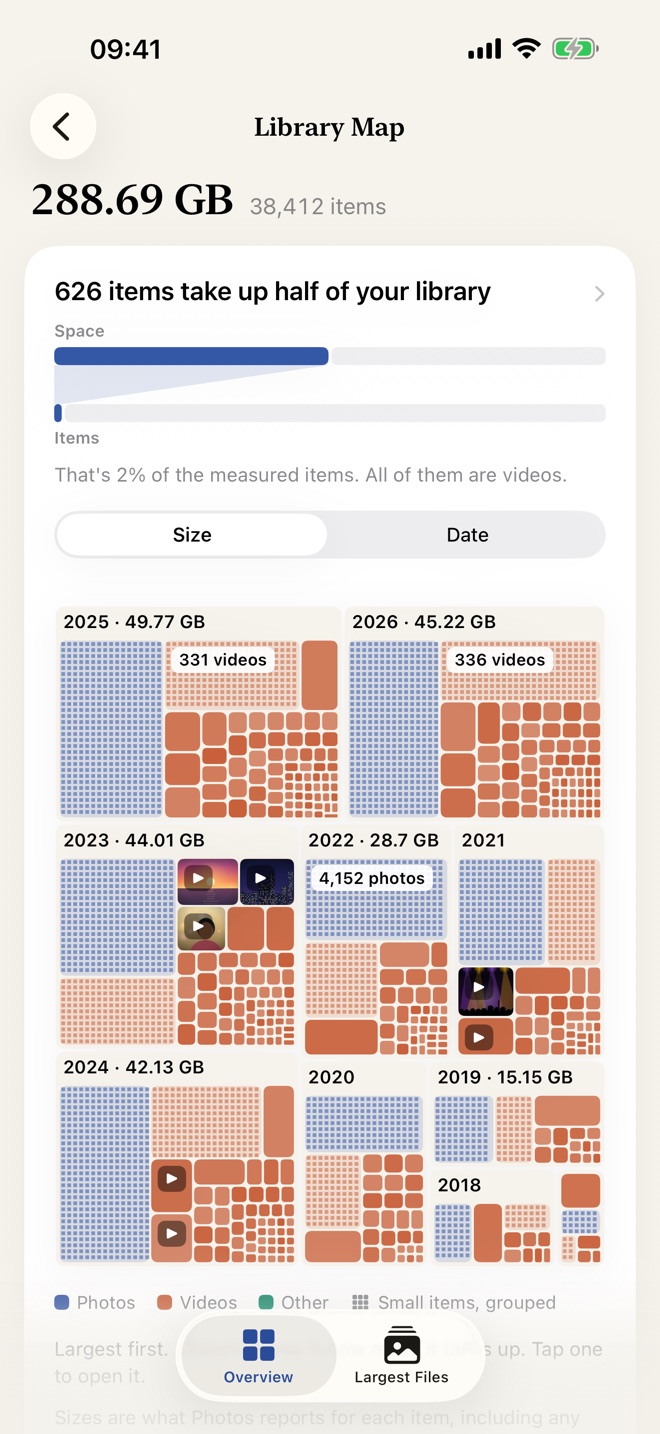
Photos shows your pictures by date. Funes shows them by the space they take, so the large videos you forgot about stand out at once.
Your library size, and how few items take up half of it. Often it's a handful of long videos.
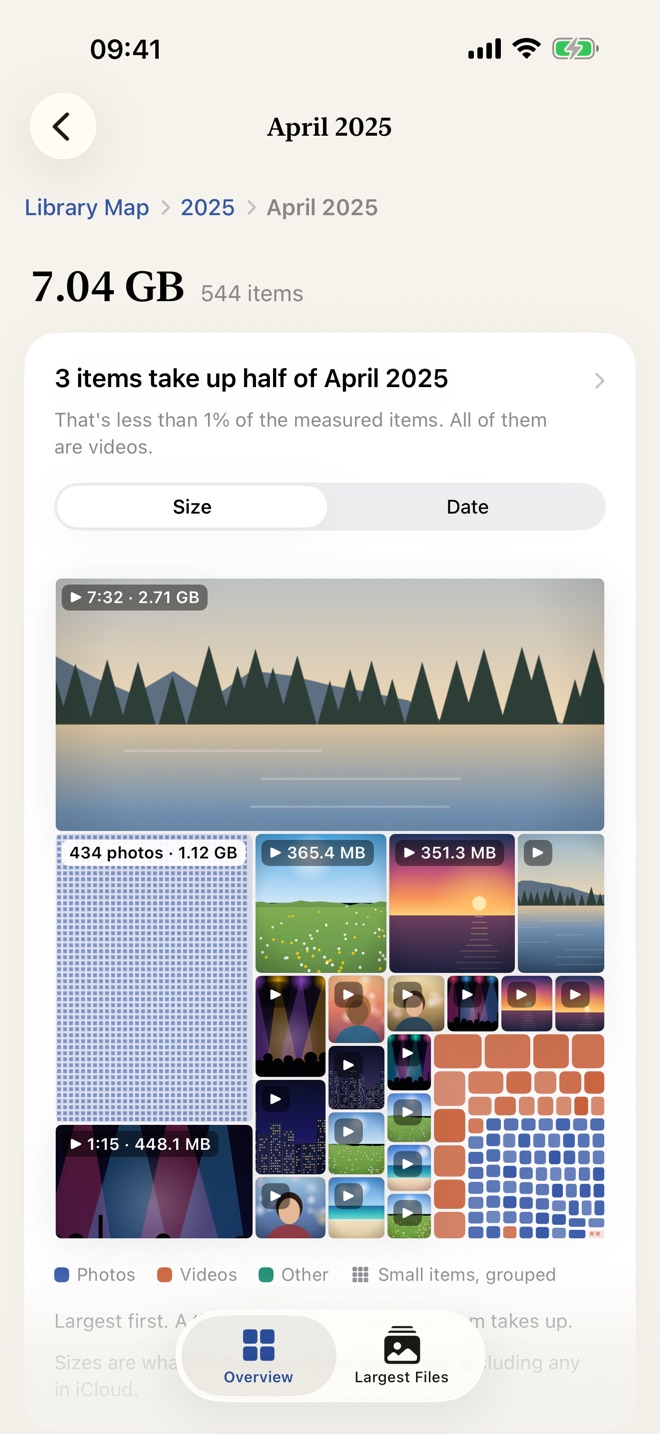
Tap a year, then a month. Tiles are sized by the file size Photos reports. Thousands of small photos fold into tidy groups.
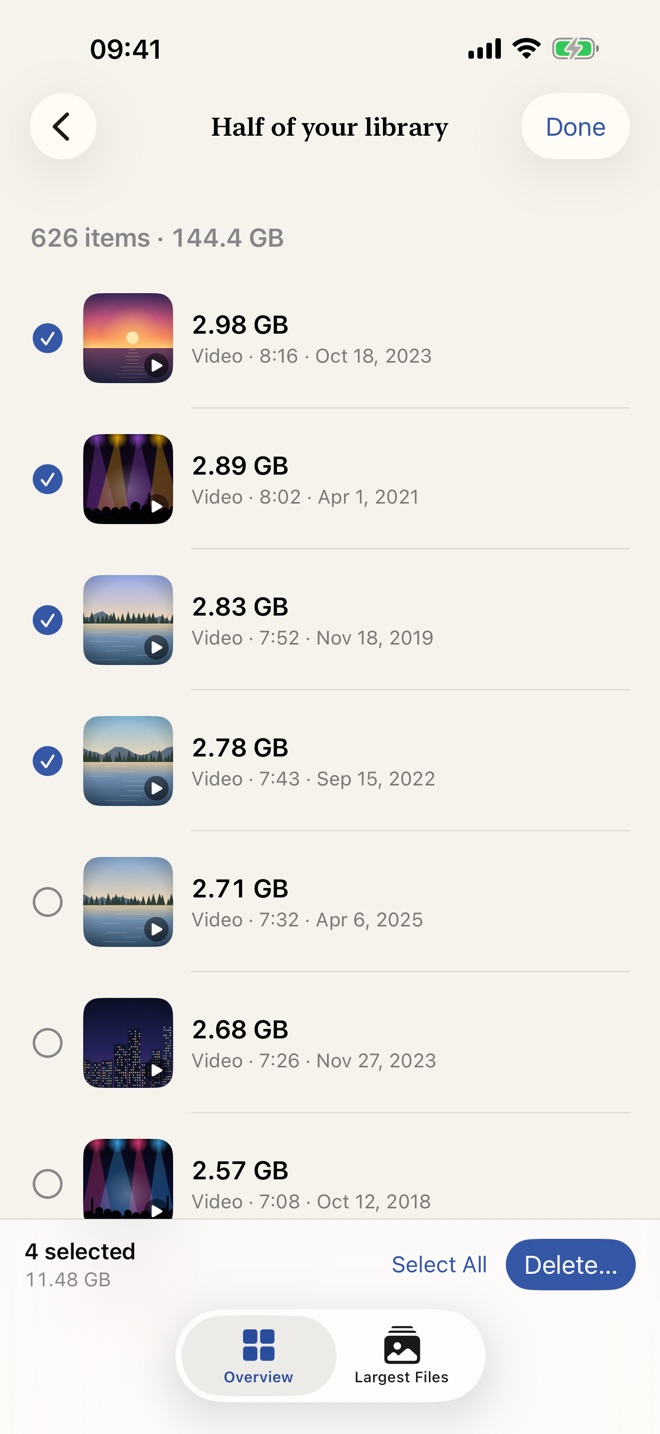
Select what you don't need and review it. You confirm every item; nothing is deleted on its own.
Scale-tested with simulated libraries of up to 100,000 items. After the first scan, Funes remembers your library, so it opens quickly next time.
Sizes are file sizes as Photos reports them, iCloud included, so you see the whole library. The total can differ from the space used on this iPhone.
When Photos can't report a size, Funes says so instead of guessing quietly.
See which years and months filled your storage, and jump from the chart straight into the map.
Funes is part of Chapiware: small apps that keep your life on your phone.
Funes has no servers. Your library is read on your iPhone and never sent anywhere.
Open it and go. Nothing to sign up for.
No analytics, no ads, no third-party code.
Only a small index of sizes and dates is kept. Sharing makes a temporary copy, removed when you're done.
Keep using Photos for your memories. Use Funes when storage is full.
| Question | Photos app | Funes |
|---|---|---|
| Which items take the most space? | Not shown | Every item sized by space |
| Which years and months are heaviest? | Not shown | Map and chart by capture date |
| How few items fill half the library? | Not shown | One sentence, one tap to review |
| Is anything deleted without asking? | No | No, you confirm every item |
Yes. No ads, no subscription, no in-app purchases.
No. Funes has no servers and reads your library on your iPhone. There's no account and no tracking. An item leaves your iPhone only if you share it yourself.
Never. You review and confirm every item. Deleted items go to Recently Deleted in Photos, where you can recover them for up to 30 days unless you empty it sooner.
Yes. Sizes include what's stored in iCloud, so the total can be more than your iPhone itself uses. Deleting with iCloud Photos on also removes items from your other devices, and Funes tells you so before you confirm.
Deleted items stay in Recently Deleted for up to 30 days. Empty it in Photos to get the space back sooner. The space freed on your iPhone can be less than the items' total size, for example with Optimize iPhone Storage on.
An iPhone with iOS 17 or later. Funes works with full or limited access to your library; with limited access it only measures what you share with it.